Enterprise / Logistics
WMS Mobile App

Overview
About the Project
The WMS (Warehouse Management System) mobile application helps warehouse operators manage inbound, outbound, packing, shipping, internal and external transfers, cross-docking, and general scanning from a single Flutter-based client. Built for an enterprise logistics workflow, the app enforces a pallet-only receipt model and dynamically routes API requests to the correct warehouse environment at login. Its modular clean-architecture design separates core services, presentation, and environment configuration, allowing the same codebase to support multiple client workflows.
Interface & Experience
App Walkthrough
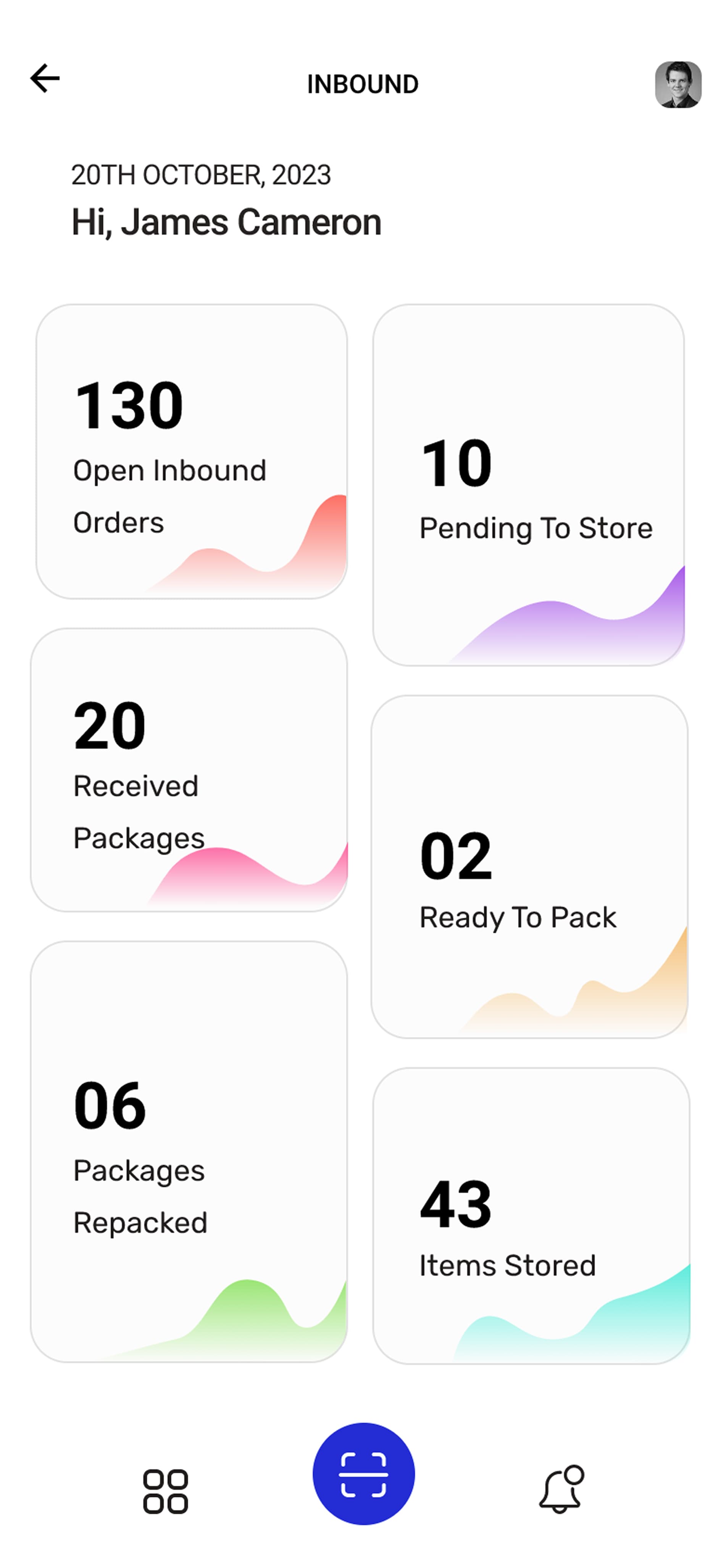
Inbound Operations Hub
Real-time order metrics, task delegations, and inventory throughput tracker for warehouse operators.
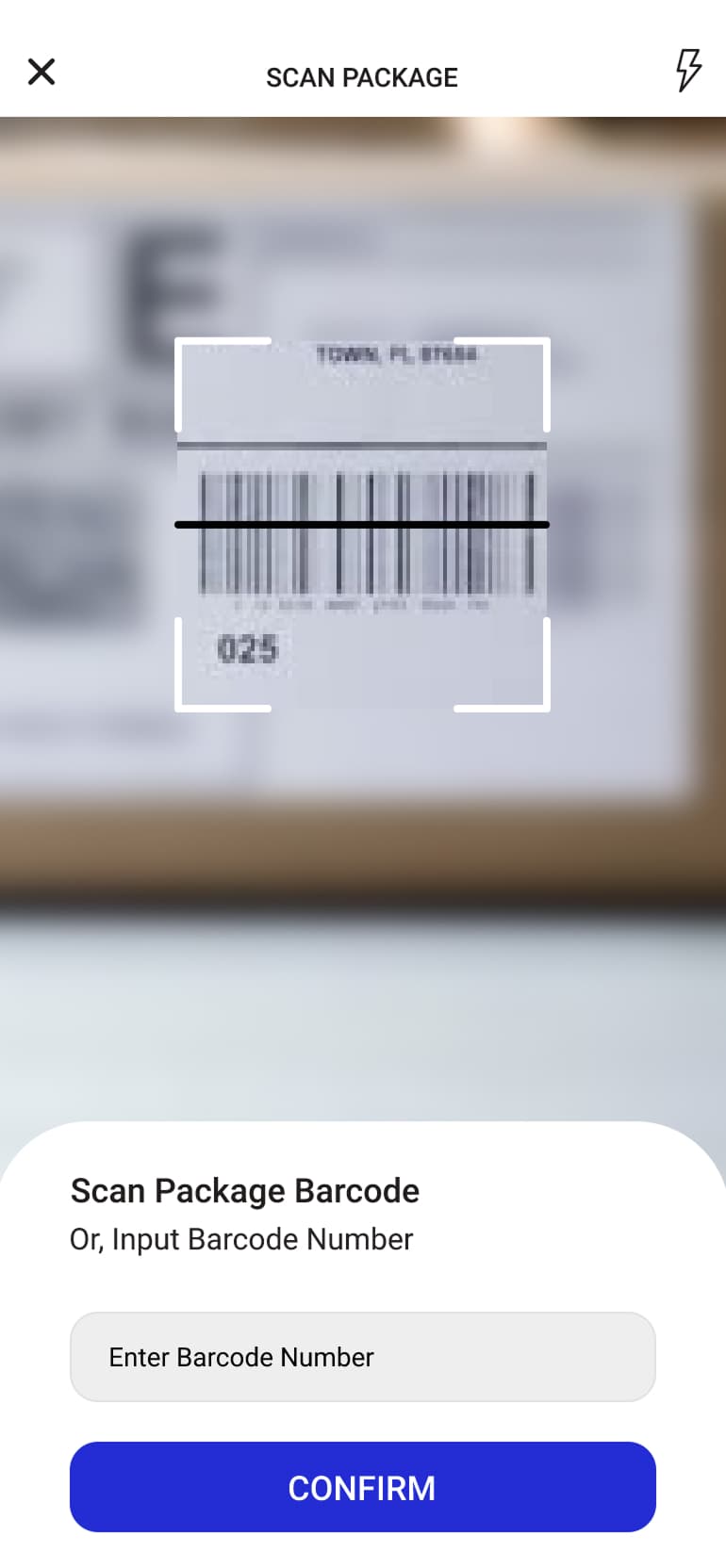
Native Barcode Scanner
High-speed camera viewfinder and hardware scanner integration via Platform Channels for instant package verification.
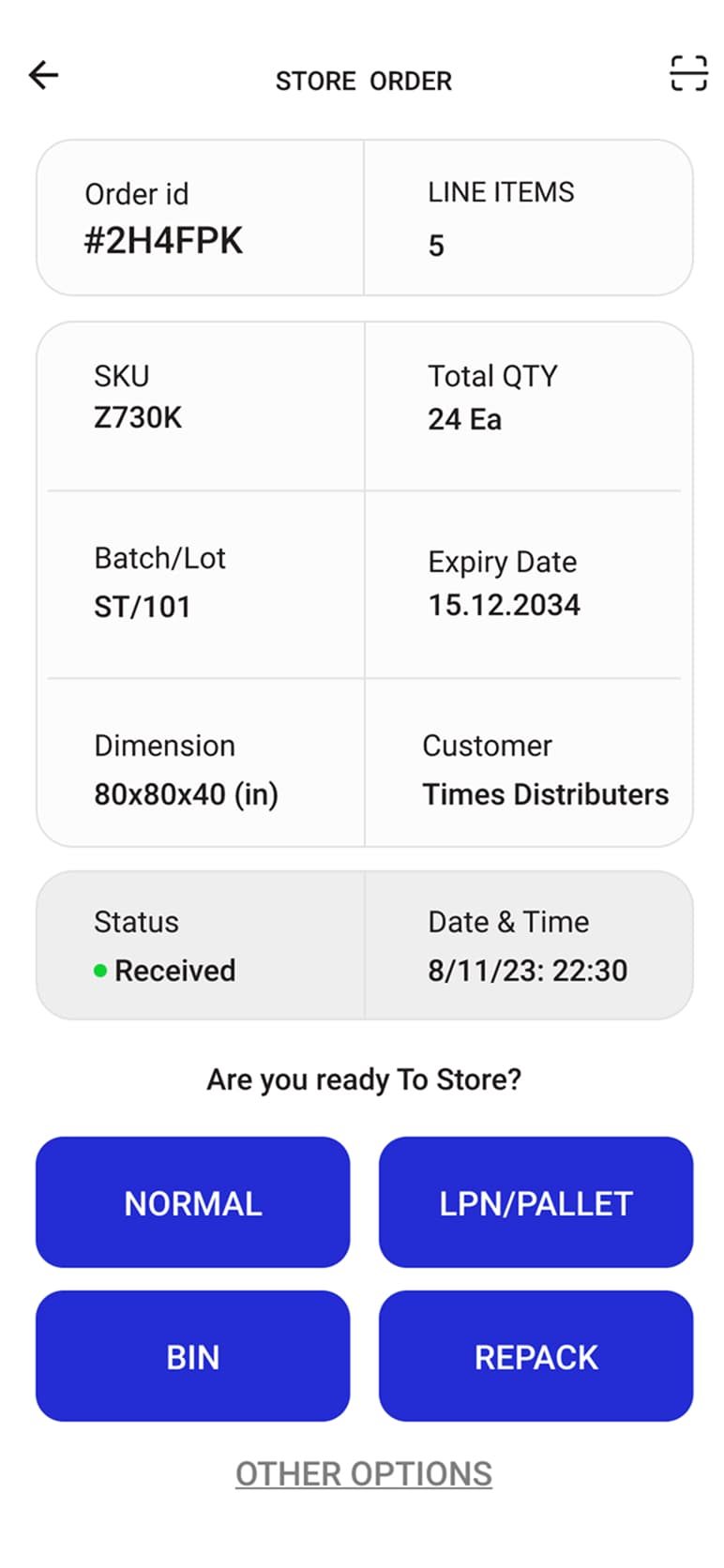
Order Details & Put-Away Routing
Order verification interface enabling operators to route receipts into Normal, LPN/Pallet, Bin, or Repack workflows.
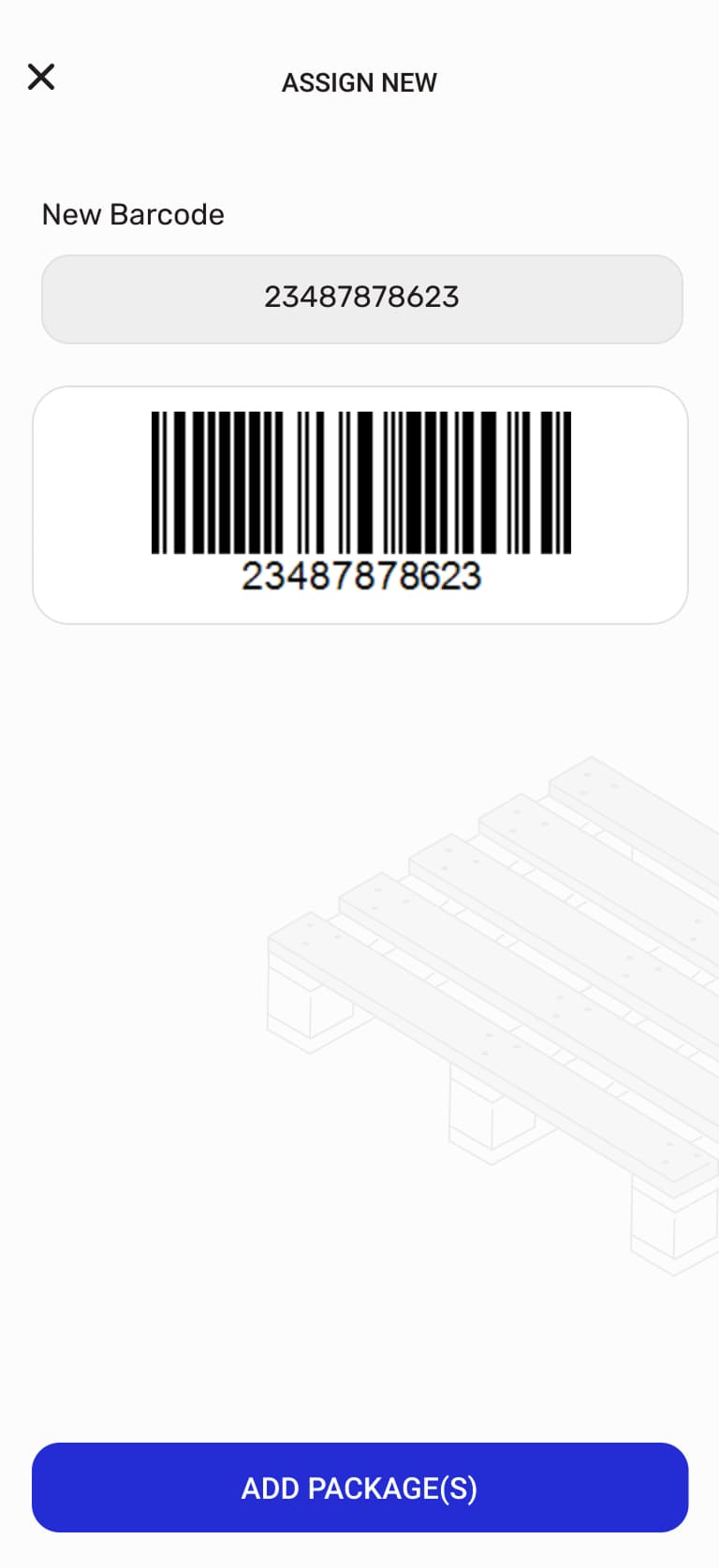
Pallet Barcode Assignment
Dynamic LPN barcode generation for bundling and palletizing multiple packages under standard storage units.
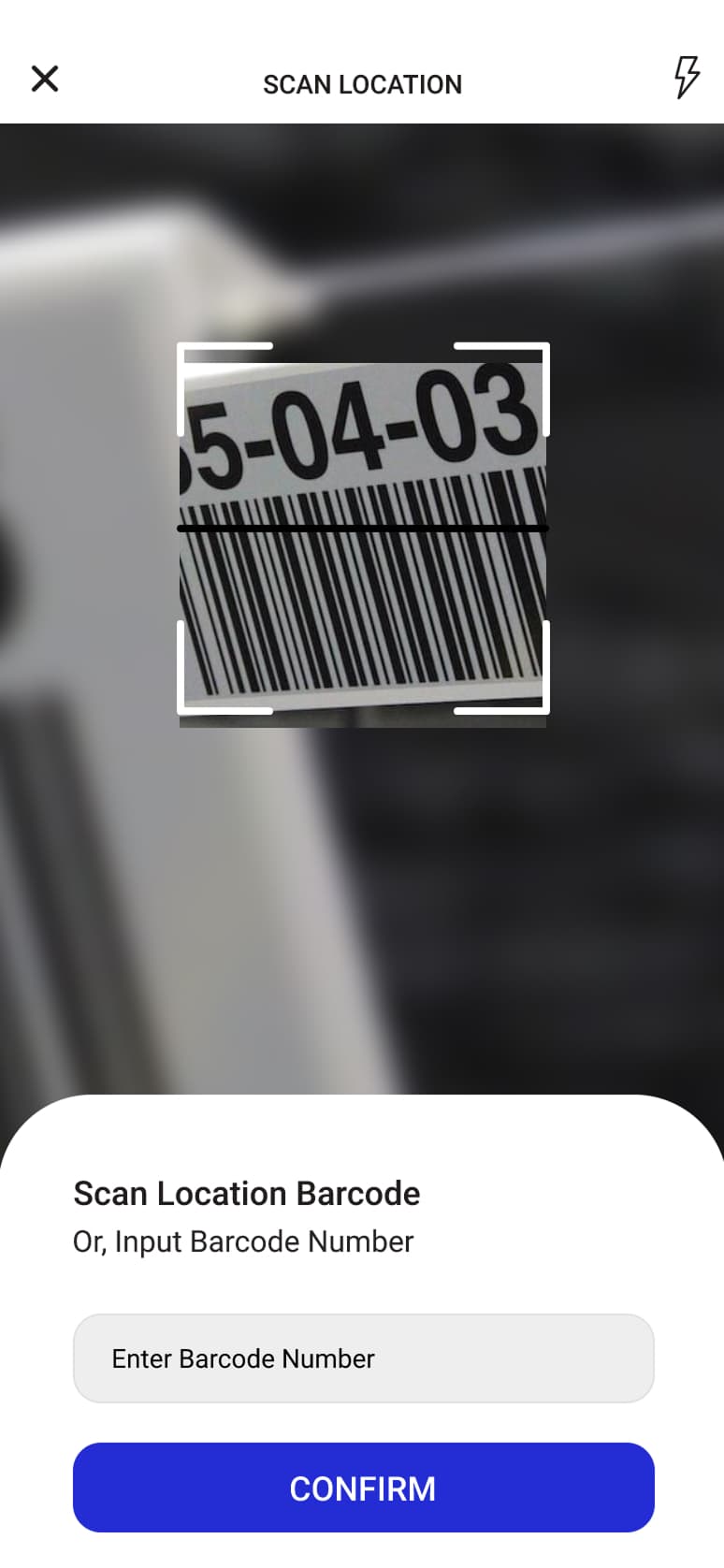
Bin & Location Verification
Scans physical aisle, rack, and shelf location barcodes to guarantee precision in warehouse inventory placement.
How it works
Engineering Flow
Resolve the warehouse
The operator selects a company name at login, and the dynamic environment configuration injects it into the base API URL so every request is routed to the matching warehouse instance.
Capture the scan
Barcode input arrives from the device's native scanner through Platform Channels, giving Zebra, Munbyn, and IPDA terminals a single shared Dart-side entry point.
Run the operation
The scan drives the selected warehouse flow - inbound, outbound, packing, shipping, internal and external transfers, cross-docking, or general scanning - with receipts constrained to the pallet-only model.
Print the label
ZPL commands are generated with responsive height calculations and media synchronization, then streamed over a TCP socket to the printer IP held in Hive local storage.
Problems solved
Challenges & Resolution
- Challenge
- Warehouse terminals ship from different vendors (Zebra, Munbyn, IPDA), so scanning support risked a separate native implementation per device family.
- Resolution
- Moved scanner handling behind Platform Channels, exposing one decoupled Dart interface that each supported device feeds into instead of duplicating native code.
- Benefit
- A single build works across all warehouse terminals, and adding a device family does not fork the app.
- Challenge
- Label printing depended on the heavy Zebra SDK, which is Android-only and tied printing to one platform and one vendor toolchain.
- Resolution
- Replaced the SDK with a high-throughput TCP socket printer that speaks pure ZPL commands directly to the printer.
- Benefit
- Dropped the Android-only dependency and reduced label-generation latency by 60%.
- Challenge
- Production APKs reached warehouse staff through manual Google Drive uploads, making every release a hand-run step.
- Resolution
- Automated the build and release path with Fastlane and Dockerized GitLab pipelines that publish the APK and hand back a direct S3 download link.
- Benefit
- Releases are reproducible and staff install from a direct link with no manual upload in the loop.
Result
Outcome
Delivered a single Flutter client that covers the full warehouse cycle for the Baron client, from tenant resolution at login through scanning, the pallet-only receipt model, and ZPL label printing. Hardware and printing concerns sit behind Dart-side interfaces rather than vendor SDKs, and the clean-architecture split of core services, presentation, and environment configuration lets the same codebase be adapted for the Inbound, Outbound, Core, and Customer client types.